
Overview
Kuali has a partnership with GrantForward which allows customers who have a GrantForward Institutional Subscription to create a proposal directly from their funding opportunity search results into a new Kuali Research proposal.
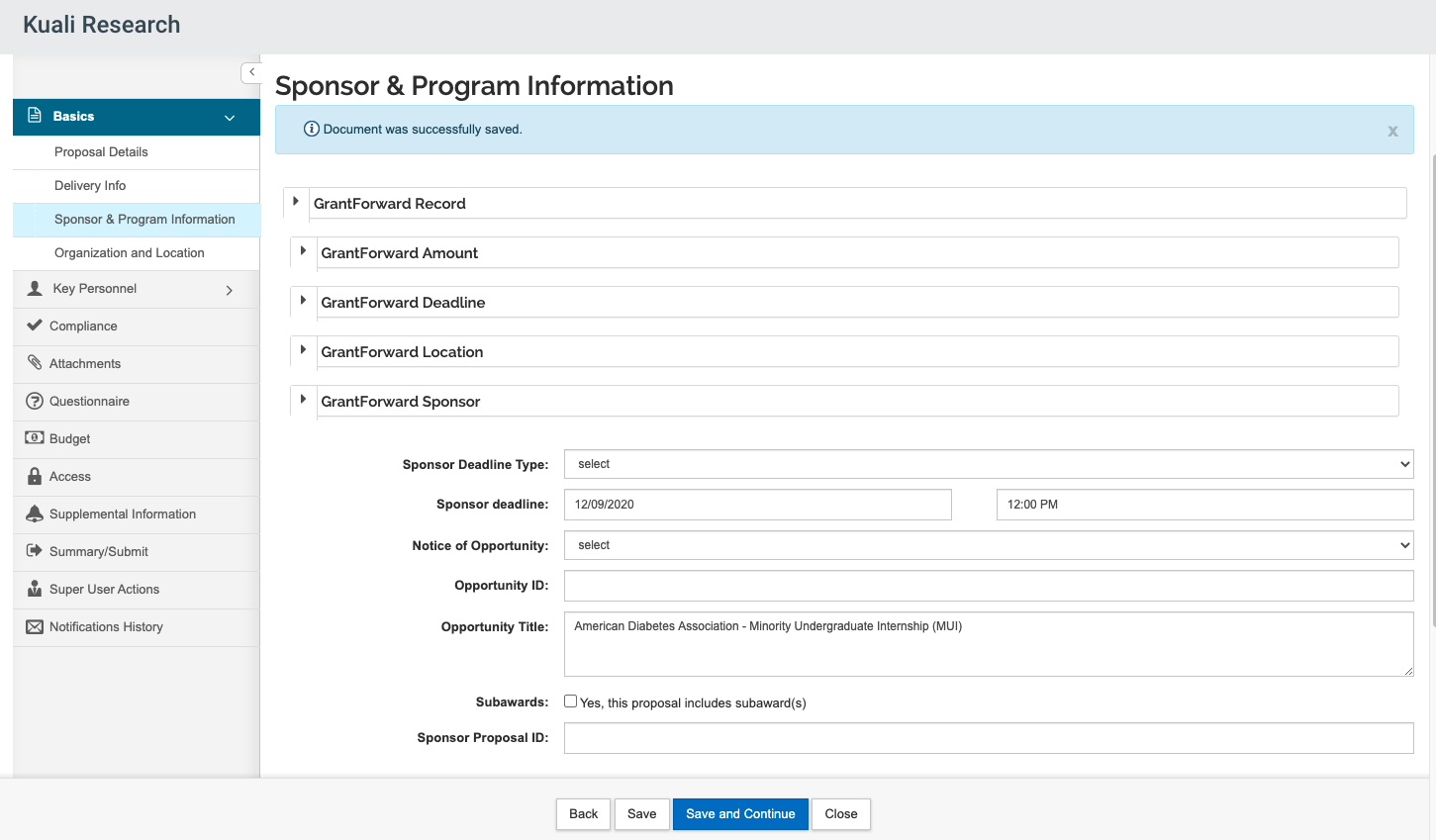
An integration between GrantForward and Kuali means that all of the pertinent funding opportunity information from GrantForward is loaded into the proposal. A user will not have to download the funding opportunity information and then store it locally; information is stored and can be referenced right within the application. Approvers will be able to compare the proposal to the requirements of the funding opportunity by accessing the information stored within the Sponsor and Program Information section.
How to use GrantForward with Kuali
- User logs in to their institutional account in Grant Forward
- Search for Funding Opportunities
- Select Funding Opportunity to view
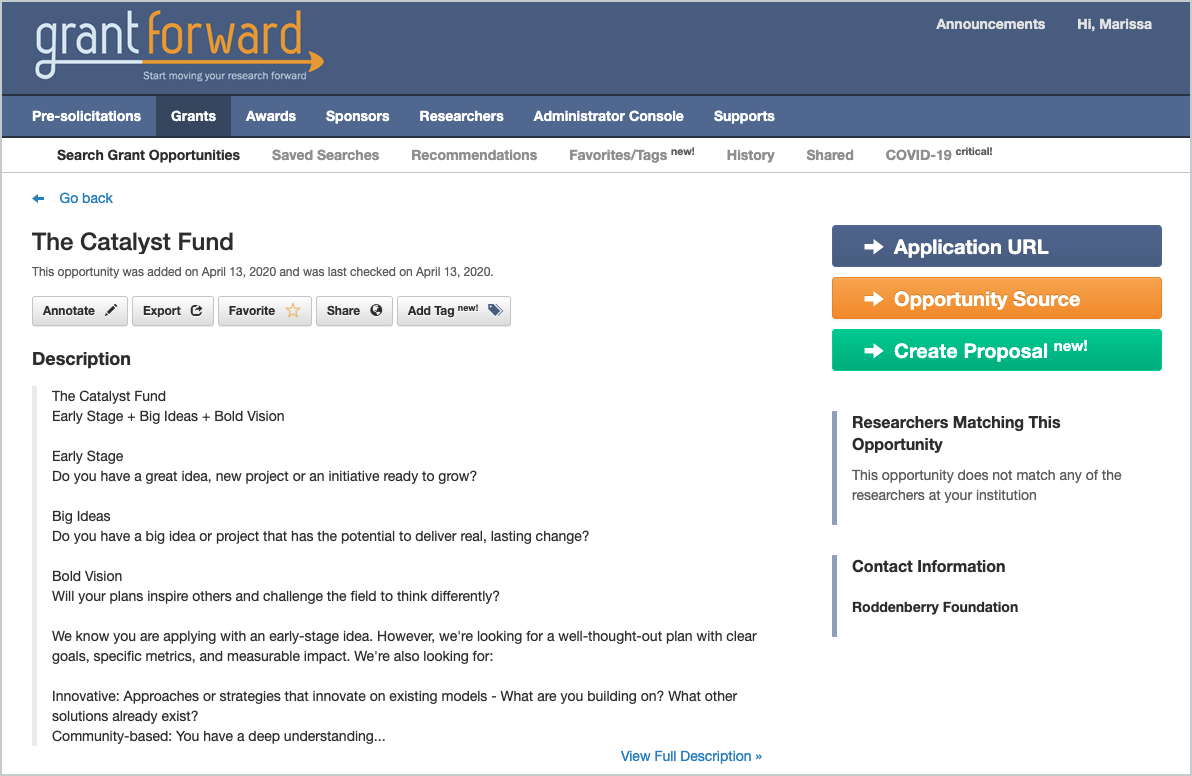
- Click on Create Proposal
- If user is not logged into Kuali yet, they will be prompted to log in
- Create Proposal initiator will be whoever is the user creating it but must have the Create Proposal role
- GrantForward Funding Opportunity information appears on Create Proposal screen
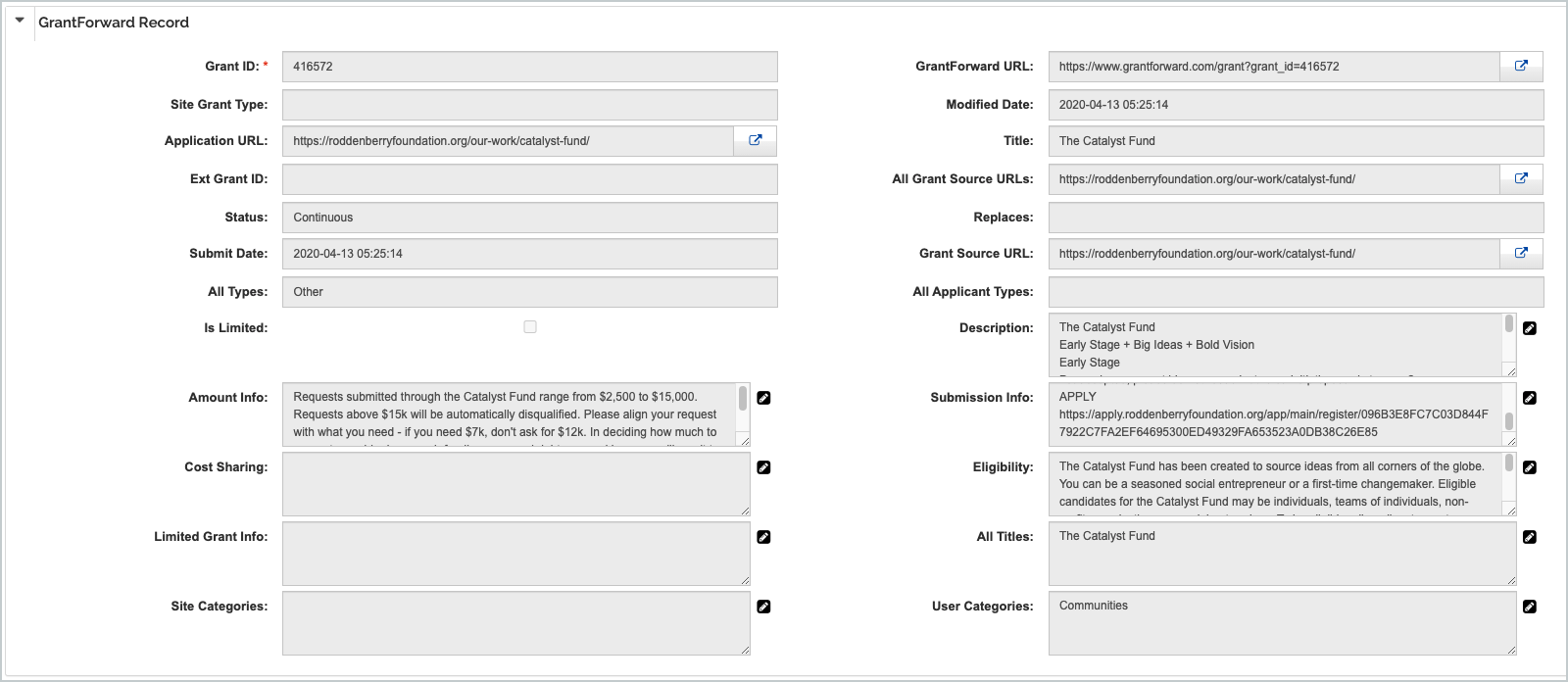
- Once proposal is created, GrantForward Funding Opportunity information will be stored in the Sponsor & Program Information section of the Basic Tab
If you currently have an institutional subscription and would like to turn on the integration, instructions for configuration can be found here.
Additional Support for Using GrantForward
GrantForward has a robust Knowledge base with help articles on using and troubleshooting the functionality which can be found at https://www.grantforward.com/support. If you have any further questions/issues with the integration please feel free to submit a support ticket.
Comments
0 comments
Article is closed for comments.