
In Form Designer COI we recently added the Request for Send Back option for the initiator (or delegate) to pull back their disclosure for edits. This can be enabled in Configuration - General Configuration tab and two new notifications of 'A reporter requests the disclosure to be sent back' and 'A reporter cancelled the request for their disclosure to be sent back' have been added to the Configuration - Customize Notifications.
Once enabled then after submit the user has the option to request a send back. There is a prompt in the top banner that allows this action.
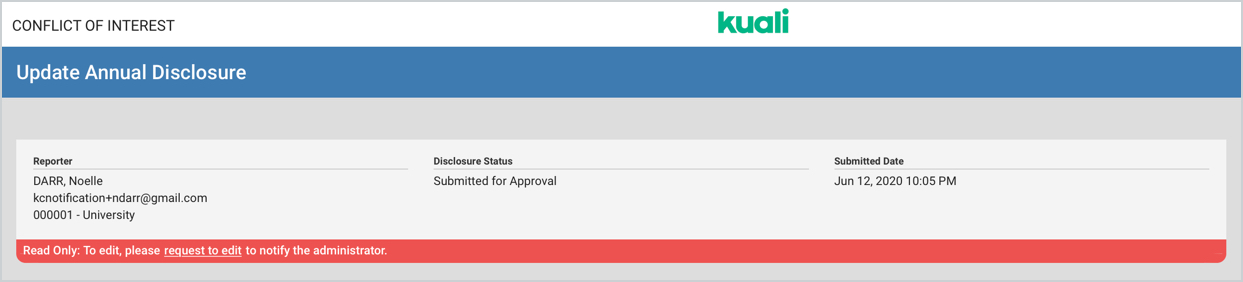
This will send a notification to the COI Administrator letting them know the reporter wants the disclosure to be sent back. This notification is controlled via the 'A reporter requests the disclosure to be sent back' notification in Configuration - Customization Notifications.
Once the request has been sent the banner will update to the below.
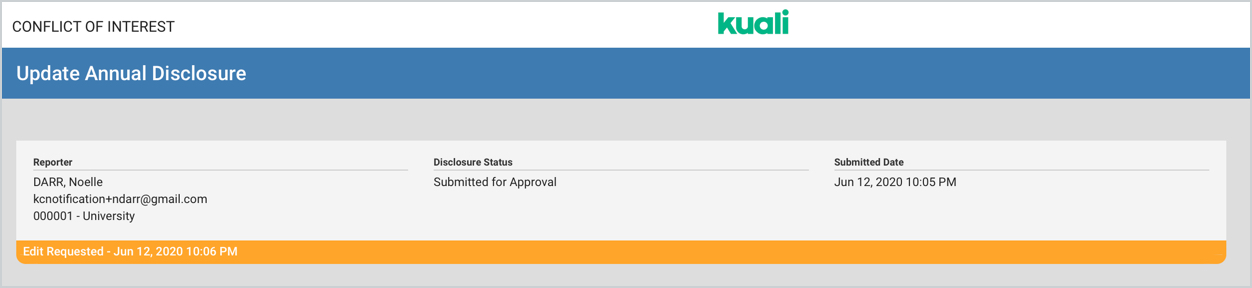
If the user wants to cancel this request they can use the 'Cancel Edit Request' option.

This will send another notification letting the COI Administrators know the request has been canceled. This notification is controlled via the 'A reporter cancelled the request for their disclosure to be sent back' notification in Configuration - Customization Notifications.
More information on the functionality can be found in the COI - My Disclosures article.
Comments
0 comments
Article is closed for comments.