
Overview
The Proposal Development module will display all training for any employees added to a Proposal Development document. This allows OSP Administrators to confirm that all necessary training is completed before approving and submitting a proposal to the sponsor.
Training Record Display
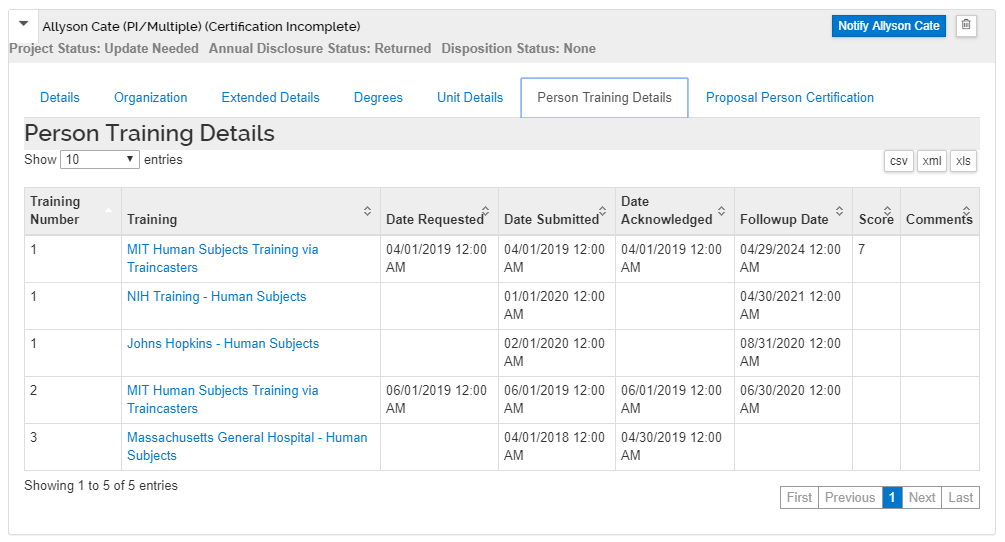
Once you've added Key Personnel to a Proposal Development document expand the details for the user and click on the Person Training Details. Every training listed in the Person Training table for that user will display. Up to 5 training records can display at a time, and the user can navigate through the larger list by using the First/Previous navigation in the lower right hand corner of the training details. Training records will not display for users added from the Addressbook.
Comments
0 comments
Article is closed for comments.