
Overview
While most approvals on a Proposal Development document have to come from the Investigator, Chairs, Deans or other individuals involved on a proposal occasionally it is not possible for those users to access their document in time to provide appropriate approval. When this happens it is possible for a superuser in the central grants office to approve for other individuals in the route log for a proposal via the Superuser Approval screen.
Accessing the Super User Actions Screen
To gain access to the Superuser Actions screen a user must be in the OSP Super User group. This group is setup upon initial system configuration. Once someone is added to this group the Super User Actions tab will appear for them in all Proposal Development documents.
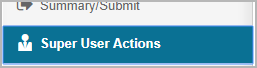
When you access this screen all the current workflow actions for the Proposal will display with the following options:
- Approve: This will fully approve the document. The current workflow action will be listed as Superuser Approved in the route log, and all subsequent actions on the route log will be removed. Take care not to take this action accidentally, as it will put the document in a terminal status.
- Disapprove: This will Disapprove the document, indicating Superuser Disapproval in the Route log as a new level. The current level will be moved to the Future Action Requests section, and the Proposal State will be updated to Disapproved. (Note this option is available to superusers even if the ENABLE_PD_WORKFLOW_DISAPPROVE parameter is set to N)
- Take Selected Actions: This option requires you to check one or more boxes from the current actions list, then the system will execute those specific approvals, moving the workflow to the next stage. If the current level requires multiple individuals to take action, such as with the Investigator level on a proposal with multiple CO-Is then only approval for the selected individuals will be taken in the route log. Any approvers that are left unmarked will remain pending until those users approve, or another Superuser action is taken on their behalf. When there are multiple approvers, one of the available levels will be for the group Action such as KC-PD Investigators. If this option is selected then the system will approve for all individuals in the current route node.
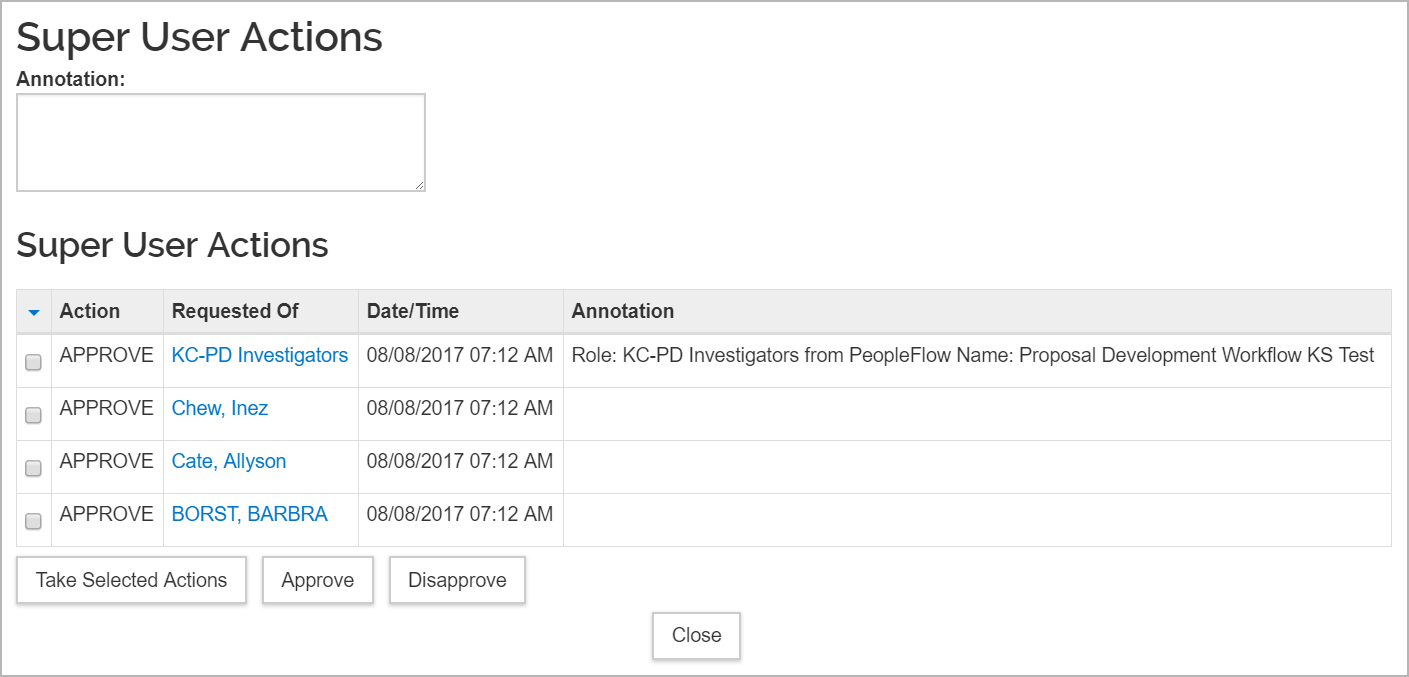
Each of the options above require the user to enter an explanation for their Superuser action in the Annotation box. Their Annotation will be added to the route log as part of their Superuser action.

Comments
0 comments
Article is closed for comments.