
Background
In very large proposal budgets that contain numerous personnel line items it can take longer to load the Assign Personnel to Periods tab. In an effort to improve performance on these large project budgets we've added a new parameter that will control the display of budget periods in this tab. When the total number of personnel line items in a budget exceeds the parameter value the display logic will change and require users to expand the period before all details display. Having the budget periods not fully load until expanded will increase the performance speed. The Assign Personnel to Periods tab will display as normal until the parameter value is exceeded and an institution can decide the numeric limit to trigger the new display functionality. The new parameter and associated detail is below.
Parameter Name: Proposal_Budget_Period_Loading
Parameter Values: Numerical
Parameter Default: 200
Parameter Description: Set a numerical value to increase the performance speed on proposal budget personnel when the number of personnel lines added in total exceeds this value. Note that each period will then load separately.
Using the Budget Performance Parameter
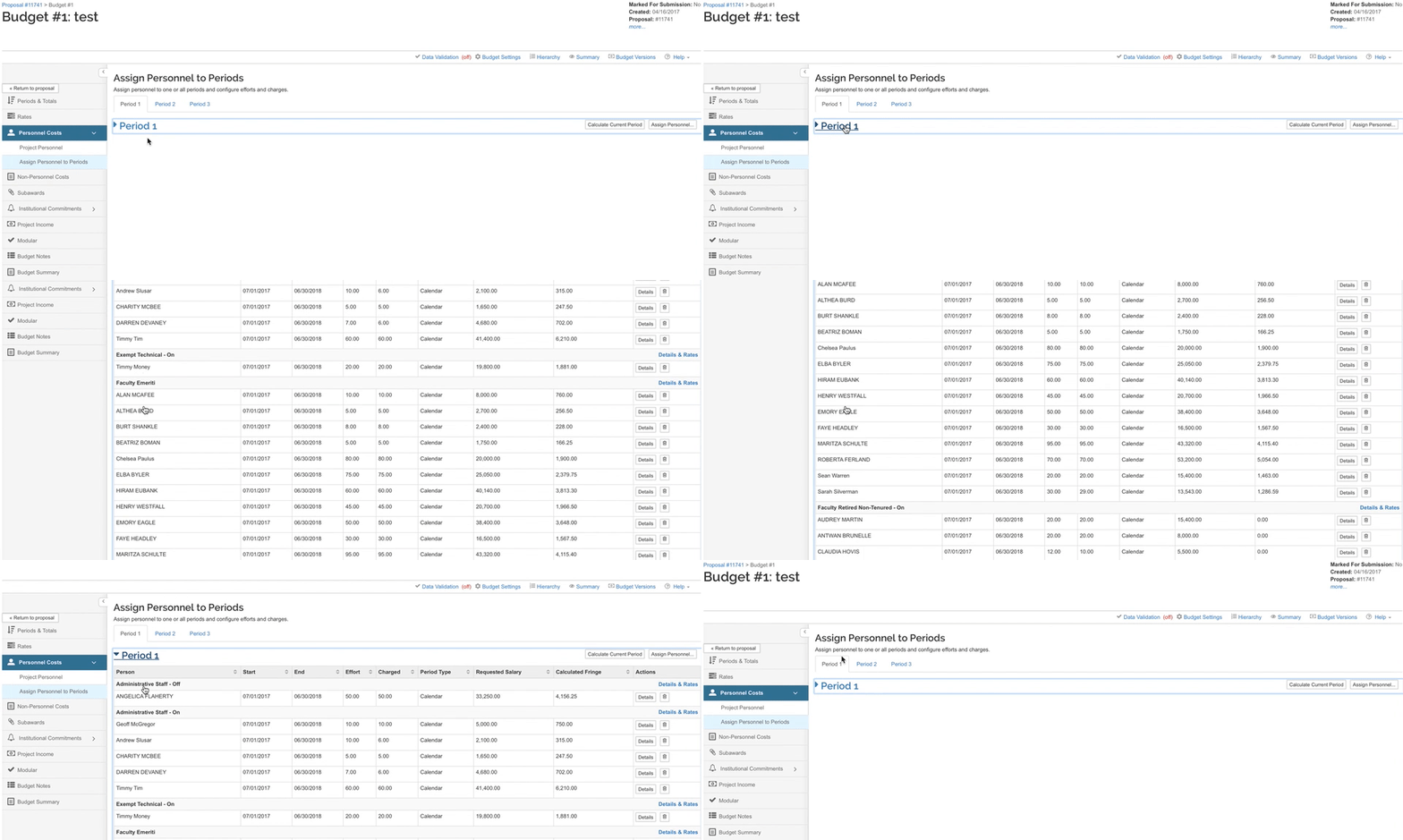
Once the parameter value is set and you create a proposal budget with total personnel line items exceeding this value you will notice the new display behavior. Upon navigation to the Assign Personnel to Periods panel you will see Period links by year that when clicked will expand the details fully as below.
Notes
- Before clicking other action buttons make sure you wait until the page fully loads
- Updating Details on assign personnel lines will not update instantaneously until the navigate or save action occurs. this expedites the ability to add personnel line items faster.
- The 'Assign Personnel' button will be available when the Period is collapsed or fully expanded.
- If you expand periods and navigate within the budget it will keep your view settings but if you exit the proposal and get back in it will reset.
- To maintain improved performance in this section collapse the budget periods before navigating to other budget tabs.
Comments
0 comments
Article is closed for comments.