
Overview
Data Override is a method for authorized users to make minor changes to a proposal document that have been submitted into workflow; more information on using this functionality can be found in the Proposal - Data Override article. The options available in the Field To Edit dropdown within Data Override are configured in the Proposal Dev Editable Column maintenance table.
Using Proposal Dev Editable Columns
Within the Proposal Dev Editable Columns table you will find when doing an open search which fields have been added and will be available in Data Override.

You can use the 'create new' option to add additional options - only those fields in the Column Name dropdown can be added to the table. Upon create new you can chose the desired field and then the method of selecting a New Value in Data Override.
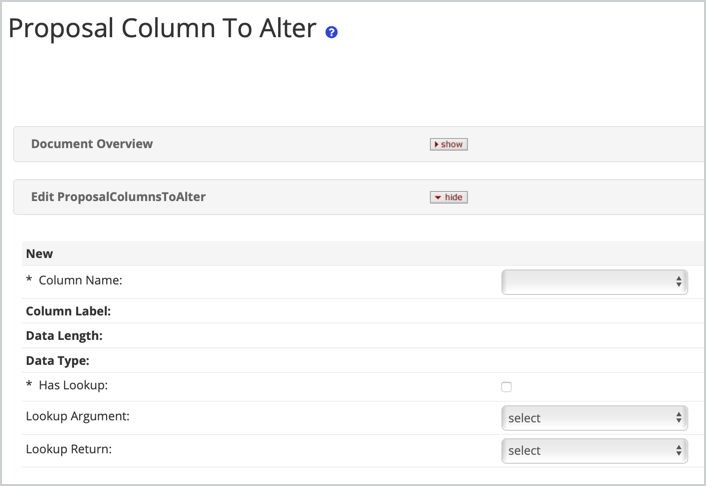
If *Has Lookup unchecked and no Lookup Argument/Lookup Return is selected the New Value field in Data Override will be a fillable field. If it's appropriate to point the field to a lookup (because that field does have a lookup) then you can chose the correct Lookup Argument to point. The Lookup return will be how it will display after returned.
After the Column is added to the table this will be an option in the dropdown for Data Override.
Comments
0 comments
Article is closed for comments.