
We just added functionality around COI Notifications that should allow more flexibility and transparency when testing and troubleshooting end user questions. We added the ability to configure notification modes in the COI module in General Configuration and the new Notification Log in Customize Notifications to see the COI notifications sent from the system. Each new feature is outlined below with links to the associated Knowledge Base articles.
Notification Configuration
The notification configuration options allow you to set whether configured system notifications are Off, set to test mode (with test email address), or Production mode (sends to live users).
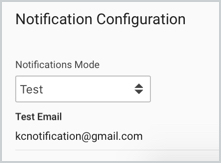
This allows you to set notification to test mode in a lower environment with an associated test email address so all system notifications will send to the specified email if you want to test the configured COI notifications. More information on this functionality can be found in the COI - Configuration - General Configuration article.
Notification Log
The new View Notification Log option will allow you to view the COI notifications that have gone out in Kuali Research COI so you can better troubleshoot any notification questions.
When clicked it will open the Notification Log where you can see the list of notifications by date (newest listed at the top) and page thru the results to get to older entries if needed.
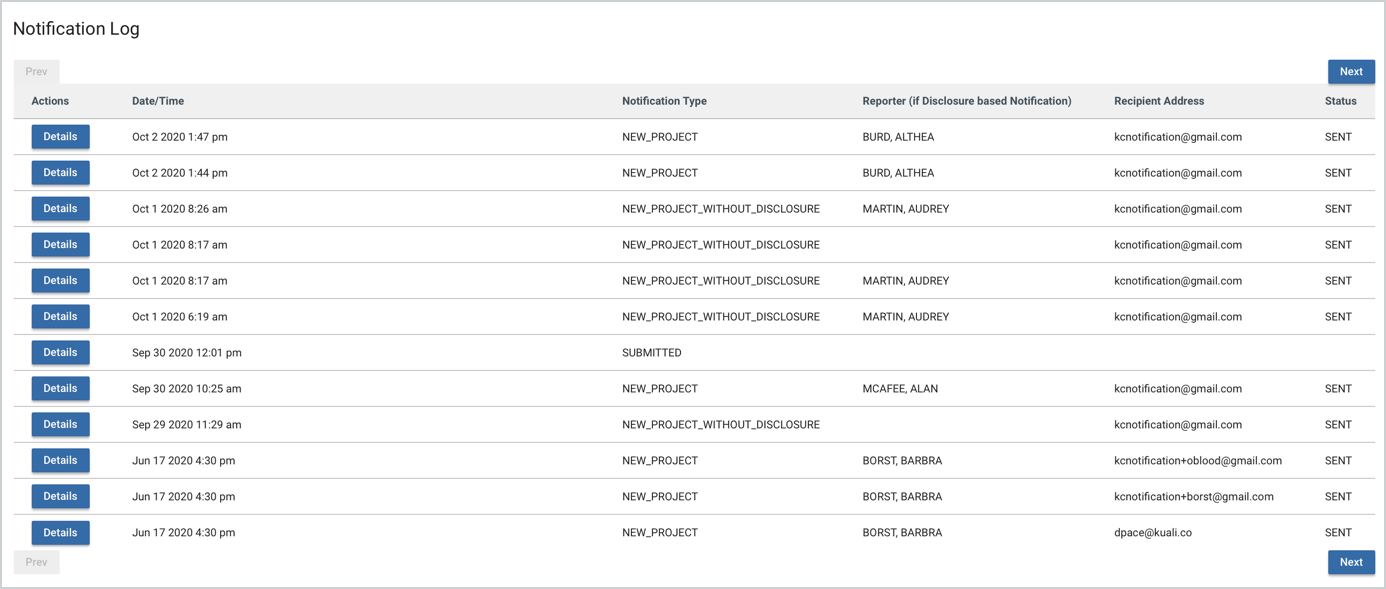
This list gives high level information of the notification but if you click on Details on an entry you can see the actual message sent.

More information on this functionality can be found in the COI - Configuration - Customize Notifications article.
Comments
0 comments
Article is closed for comments.