
Kuali COI has introduced additional notifications, in the form of ‘Delegate Notifications’ to help improve the efficiency and aid the process of delegates assigned to complete disclosures on behalf of an institution’s investigators.
Delegate notifications will allow a delegate to click a button at any time during the disclosure process to notify the reporter whose disclosure is in progress to take some action on their disclosure or to submit their disclosure for review and approval. Notification templates for all delegate related notifications will be housed in the ‘Customize Notifications’ page under COI ‘Configurations’.
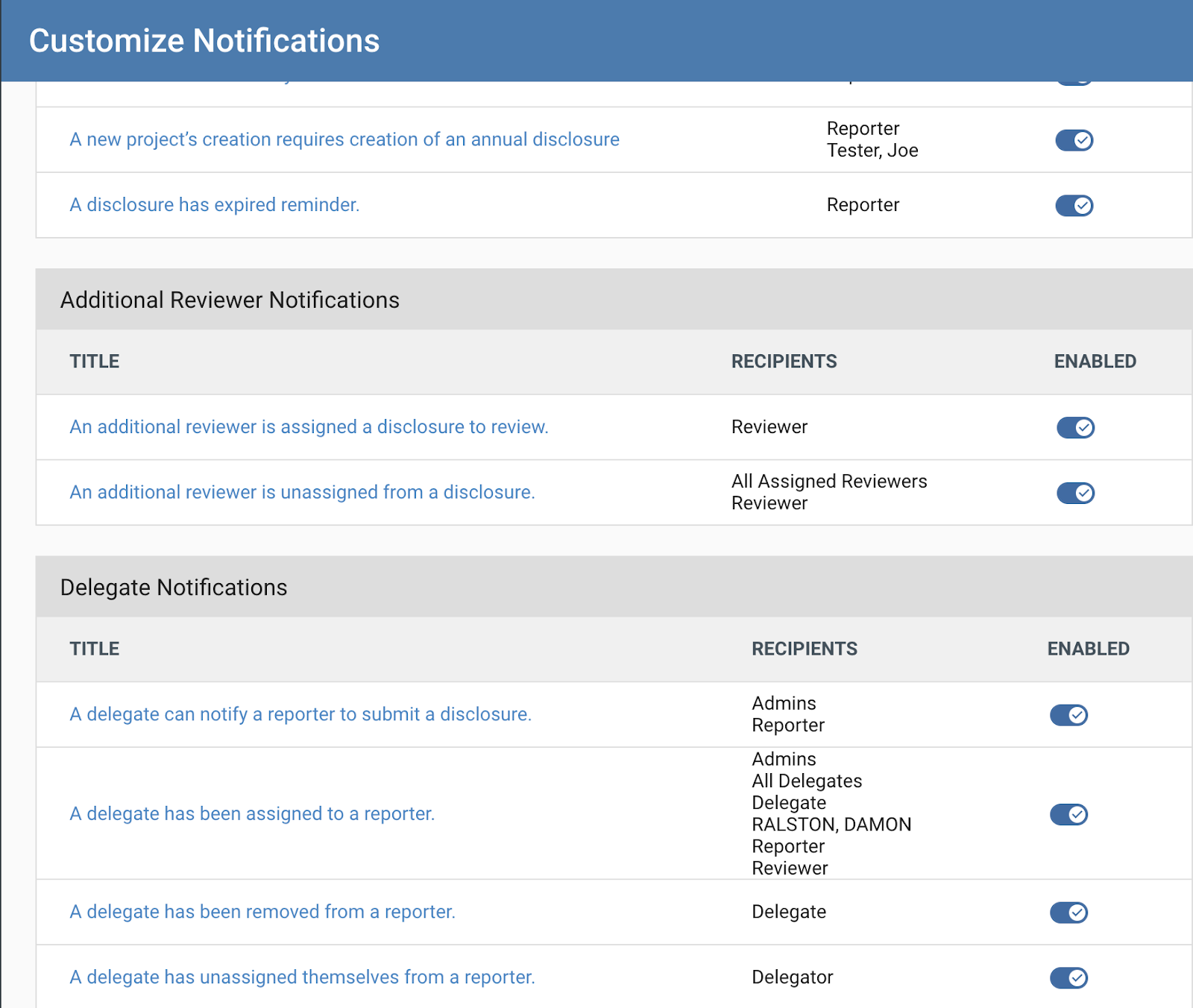 Delegate Notifications will be stored in their own container at the bottom of the page, titled “Delegate Notifications”.
Other notification options for delegate related notifications introduce functionality for the ability to: notify a delegate and selected recipients when a delegate has been added to a disclosure, notify a delegate and other selected recipients when a delegate has been removed from a disclosure, and to also send a notification to intended recipients when a delegate has unassigned themselves from a reporter’s disclosure.
Delegate related notifications can be configured in a similar manner as existing COI notifications (more information in the COI - Configuration - Customize Notifications article). Text within the body of the templates can be altered, as long as placeholders values are retained and copied in the same manner. Additional individually selected recipients can also be added onto each delegate notification template.
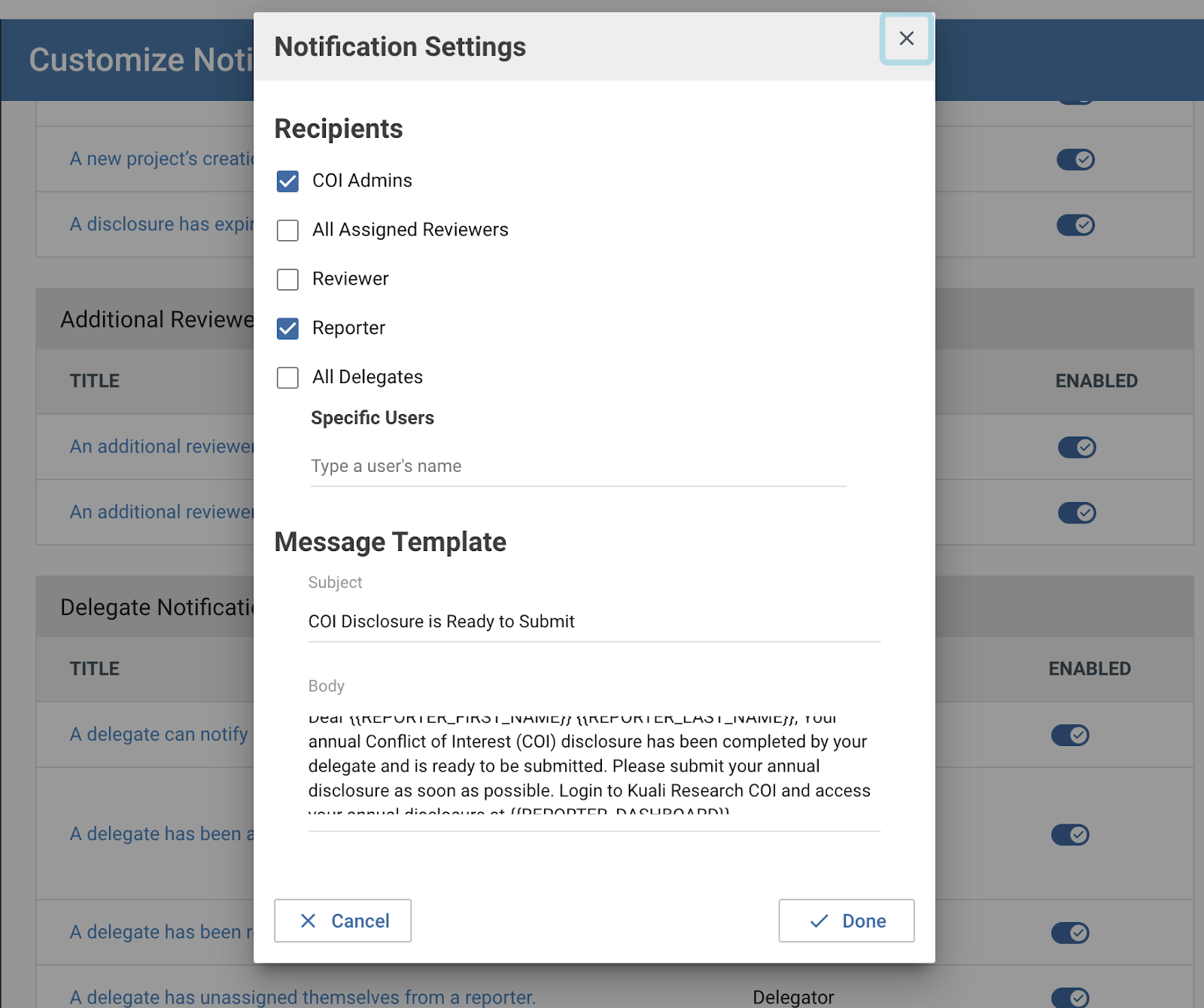 Templates for each individual notification types can be edited and configured to meet institutional processes.
Delegate notifications offer user feedback within the disclosure form itself as well. Upon clicking the ‘Notify Reporter’ button, a success toast message appears at the bottom of the page, indicating that the intended recipient (reporter) will be notified of a disclosure that now requires their attention. A blue help text icon around the ‘Notify Reporter’ button will also appear, indicated when the button was clicked. Over the course of a disclosure’s completion process, this button can be used multiple times and will always show the most recent action timestamp.

In the image above, the mouseover text on the ‘Notify Reporter’ button indicates the most recent action date taken on the button.
Comments
0 comments
Article is closed for comments.