
Overview
The Unit Administrator Bulk Editor eases editing of unit administrators in bulk. The Bulk Editor makes it possible for the addition, edit, or removal of multiple unit administrator entries at a time, without requiring the user to create a new maintenance document for each operation.
NOTE: requires the 'Read All' permission to use (part of the the KC Superuser role out of the box).
Using Unit Administrator Bulk Editor
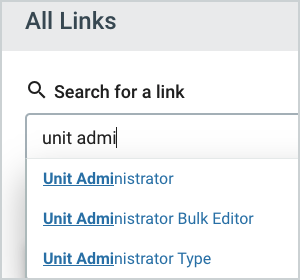
To access the Bulk Editor, click on All Links and begin typing Unit Administrator Bulk Editor.
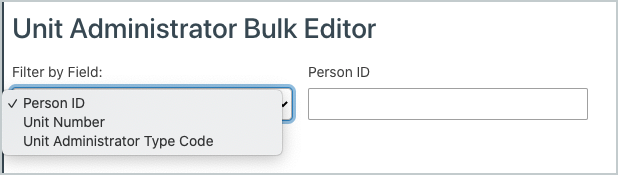
To begin, choose the field to search from in the Filter By Field drop down.
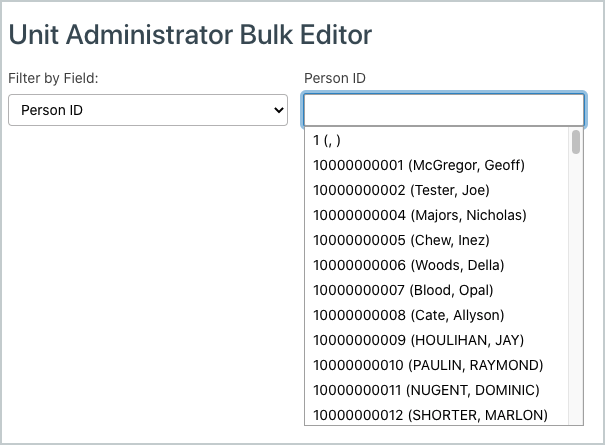
Once a field is selected, users can begin typing within the field to the right and choices will appear as an autocompleted dropdown.
Current Information will appear below with an option to Delete.
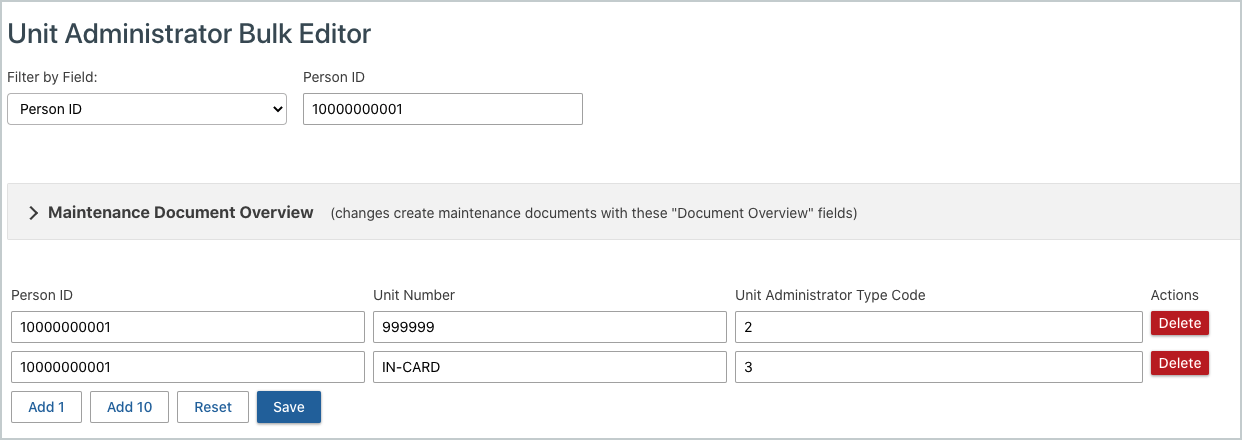
The Maintenance Document Overview section sets the Document Overview fields at the top of the newly created maintenance documents.

Below the results, there are additional editing options:
- Add 1 or Add 10 will add more lines that are autocompleted dropdowns.
- Reset will reset any changes that were not Saved. (If already saved, the new line must be deleted, deleted lines cannot be reset.)
- Save will save all changes and create maintenance documents based on those changes
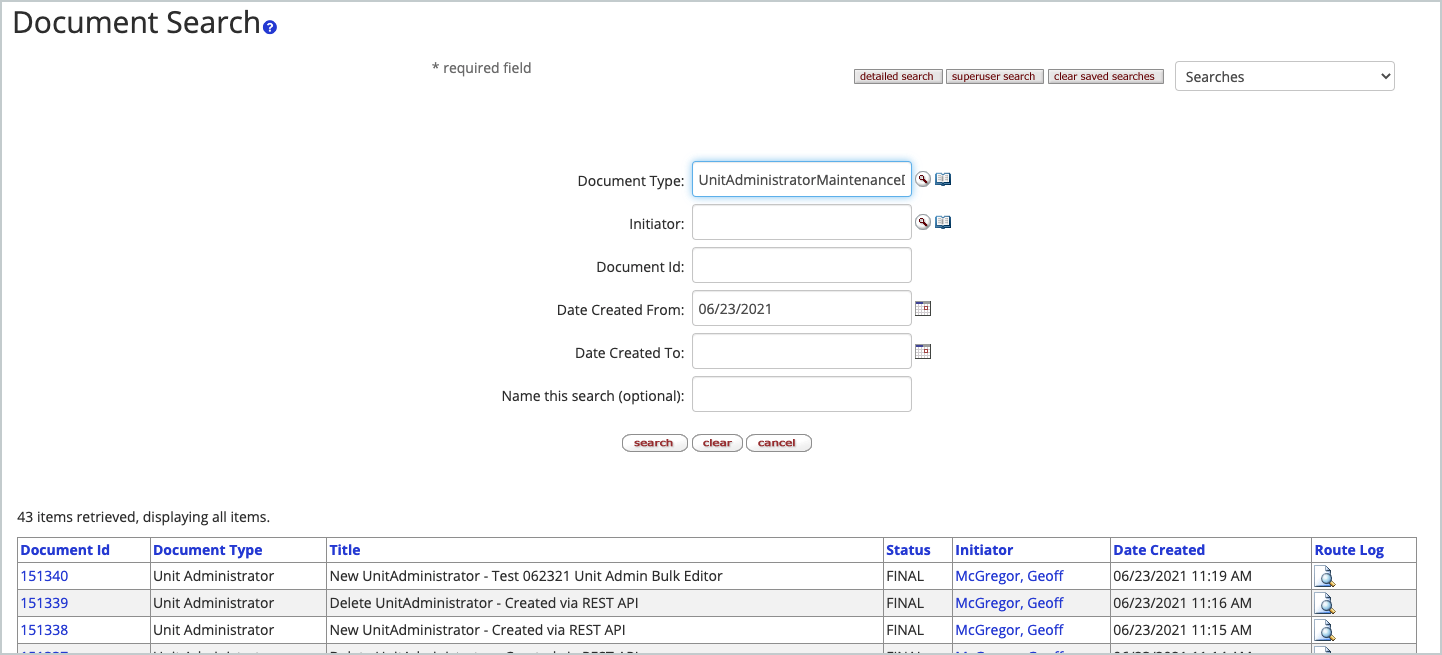
To view Maintenance Documents, click on Common Tasks, then Doc Search. Search by Document Type UnitAdministratorMaintenanceDocument and a list of all Unit Administrator Maintenance Documents will display. To narrow down search, enter a date in the Date Created From field or the search will add the current date to the field when search is clicked twice. The updates will also be reflected in the Unit Administrator table.
NOTE: The Bulk Unit Administrator editor only allows creation of new entries in mass or deletion of entries in mass - you cannot edit attributes on existing entries. Also, if entering a new person never present in the Unit Administrator table you will not find them in the person lookup dropdown - you will need to add them manually via the regular Unit Administrator table first in one entry before they become available in the bulk editor.
Comments
0 comments
Article is closed for comments.