
Overview
Calling the Kuali APIs requires the use of an API key. These keys expire on an annual basis and must be regenerated within the system. API keys are linked to a Kuali Core user, and notifications are sent one month in advance of API key expiration. To avoid the impact of staff turnover, it is recommended that institutions setup a standalone user to maintain these keys with a departmental email associated with the group that maintains their Kuali integrations. These steps should be repeated for all environments and must be completed by a user with Core Admin privileges.
Create a Kuali Core User
Navigate to https://{Kuali Instance Domain}/users and press the +Add User button.
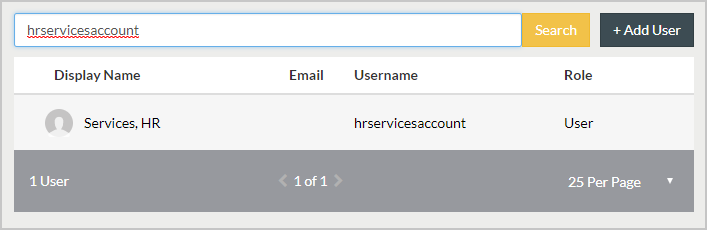
Complete the following fields
- Display Name: Services, HR
- Role: Admin
- Approved: Checked
- Email: Enter the email you would like to receive notices when your API keys are about to expire. This should ideally be an email account multiple individuals have access to.
- Username: hrservicesaccount
- First Name: HRService
- Last Name: Account
- Password: Enter the password you will use to access this account. It is recommended this be a very strong password. It should be kept in an encryped file that is only available to the technical staff who maintain your Kuali integrations.
Press the Save button.

Press the API Keys tab at the top of the user's account display.
Press the Create KEY button

Enter a Name for your API Key in the Name field and press Create Key
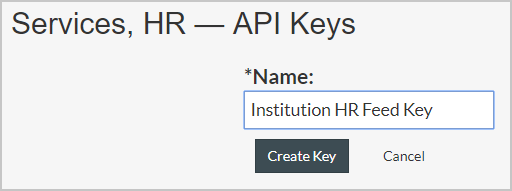
When you do this the system will display the API key that it generated. This is the only time you can retrieve the key. If you lose it you will need to revoke that key and generate a new one. So copy this key so you can use it to setup your HR feed and other integrations.

When your API keys are a month from expiration the email you have listed in this account will be notified, and someone from your technical team can go to https://{Instance Domain}/auth/kuali to login as your HR Services user, and then from the Apps menu navigate to Users Service to complete the steps above and generate a new API key.

The API key is used to setup the HR person feed per the Technical - Loading Person Data for Standalone COI or Protocols Implementation article and is necessary for other integrations that use the Kuai Research API.
Comments
0 comments
Article is closed for comments.