
Within Kuali Protocols, when adding personnel onto a protocol, users are given a selection of either ‘Read Only’ or ‘Full Access’ permissions. Should System Administrators choose to configure the option, institutions will be able to have permissions for various protocol roles populate automatically once that role is assigned. In order for automatic permissions to populate, System Administrators within Kuali Protocols will be required to create and publish an updated template version containing the institution’s roles and designated permissions. Going forward on newly created protocols, these role based permissions will then auto-populate.
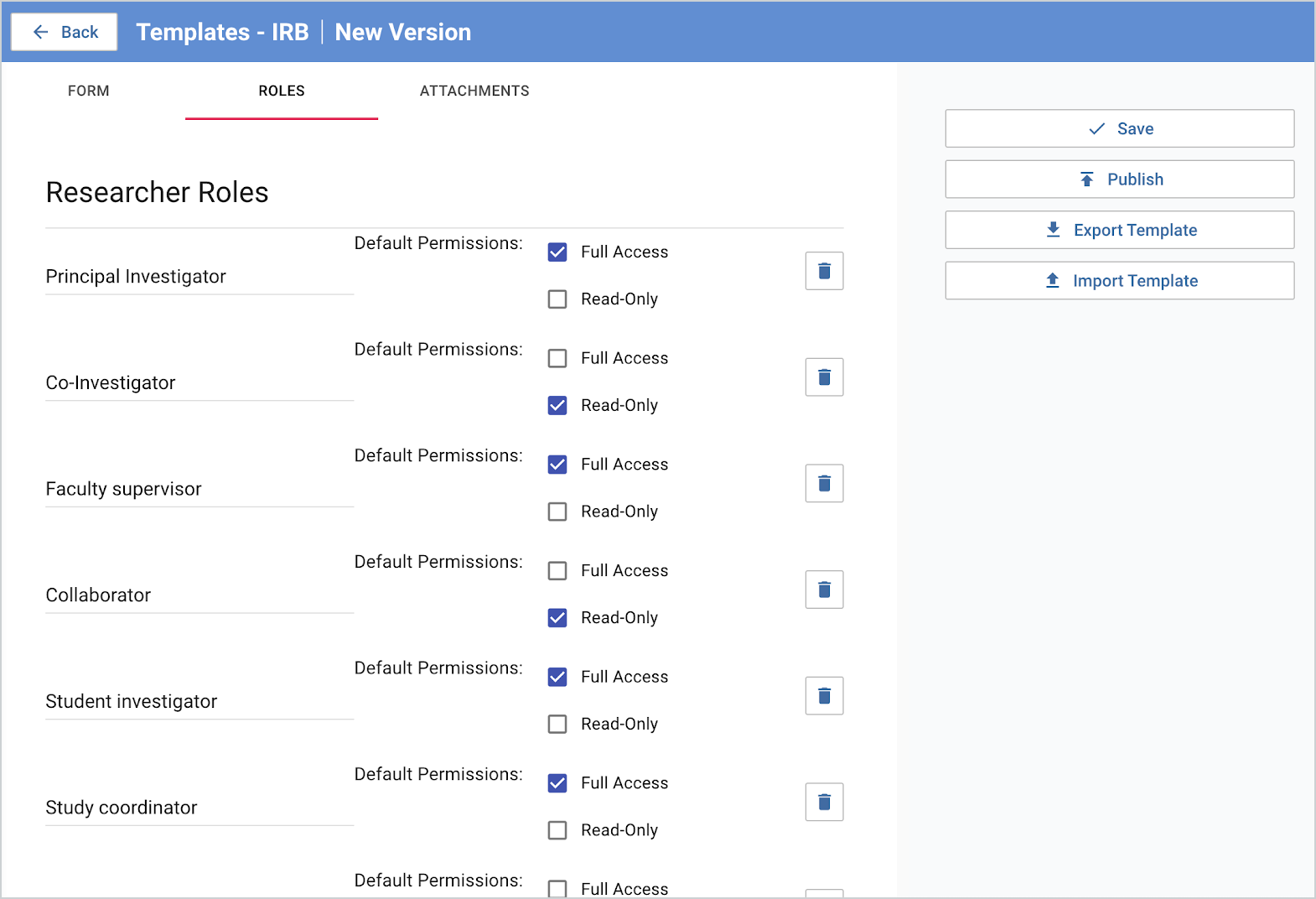
When creating a new template, the user simply tabs to the ‘Roles’ page and is presented options to add a variety of roles, along with their default permissions. No changes to the protocol’s ‘Form’ template are needed.
Once the template has been updated, new protocols that are created will automatically have user permissions populate when the corresponding role has been selected. More information on configuring templates can be found in the Protocols - Templates article.
Comments
0 comments
Article is closed for comments.