
We've recently added the below improvements to the Subaward module that we wanted to bring to your attention. These changes came about from your input on the Community forum and Subaward Working Group - we appreciate the feedback!
Prior Financial Transactions in History of Changes now Editable
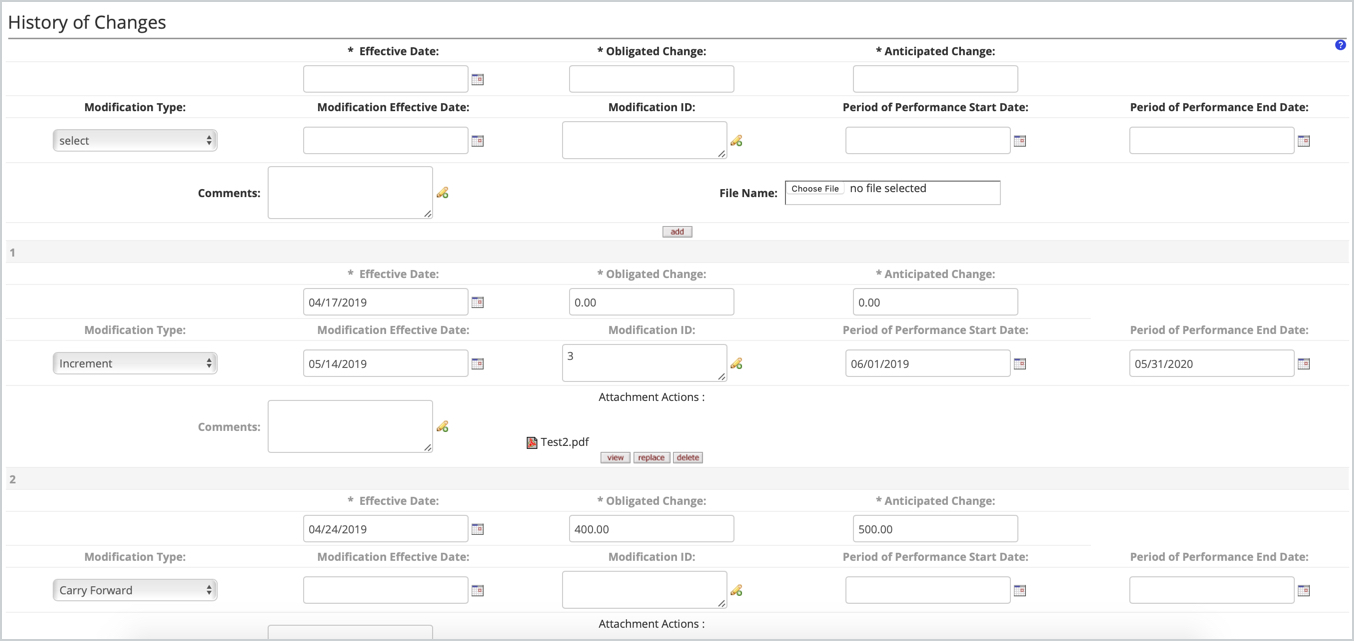
Several customers conveyed the need to edit previously entered transactions in the History of Changes panel in the Financials tab of Subaward due to data entry error. We added the ability to edit all transactions in the History of Changes panel in new Subaward versions so you can make changes as needed to correct errors, replace wrong attachments, etc. The prior versions of the subaward will retain the transactions as they were originally entered for audit purposes. More information on this functionality can be found in the Subaward - Financial knowledge base article.
KRMS Function to check FFATA Reporting Requirement
We added a new KRMS function to let administrator know when the subaward meets the FFATA reporting requirement. New function of 'Check FFATA Reporting Reached Limit' allows you to check if the Financial Tab Obligated total is Greater than 25K (amount configurable in function) and the Prime Sponsor or Sponsor is Federal on the linked active award version is then this triggers a warning to the user if the FFATA required flag is unchecked. If triggered it will give the user the desired error or warning - sample text:
FFATA Reporting may be required, since the linked award has a federal sponsor or prime sponsor, and the obligated amount has reached the reporting limit. The FFATA Reporting has not been checked on the initial page. Please review.
Example of how the Function can be set up in the Agenda to check anything greater that $24,999.99:
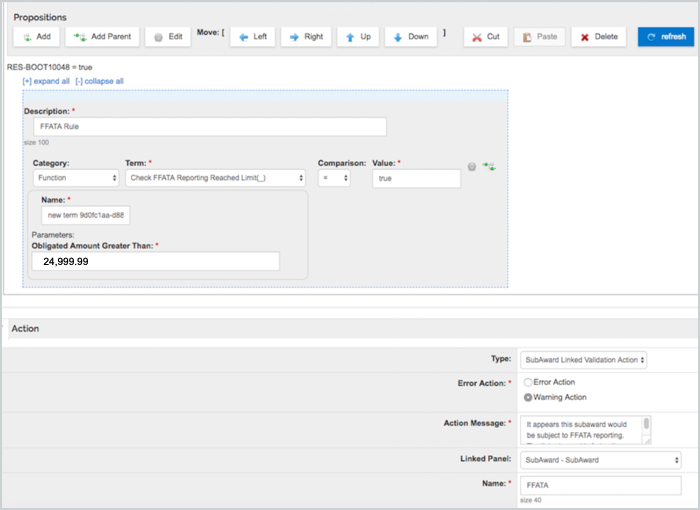
More information on associated KRMS functionality can be found in the KRMS Basic Rules Setup knowledge base article.
Comments
0 comments
Article is closed for comments.