
As institutions continue to improve and evolve in both their research administration and business processes, users involved in the protocol operations require granular, detailed messages on actions required or results delivered. These messages often take the form of notifications. Kuali Protocols has introduced functionality that allows institutions to create multiple templates of their existing notifications, targeted to different recipients and built on a unique body of text tailored to those recipients. These are now available in all customer instances.
The multiple notification templates introduce a new overall notifications design within Kuali Protocols, meant to enhance and highlight when multiple types of the same notification are active. Within IRB Configuration and IACUC Configuration you will now see a list of available notifications with the number of templates configured.
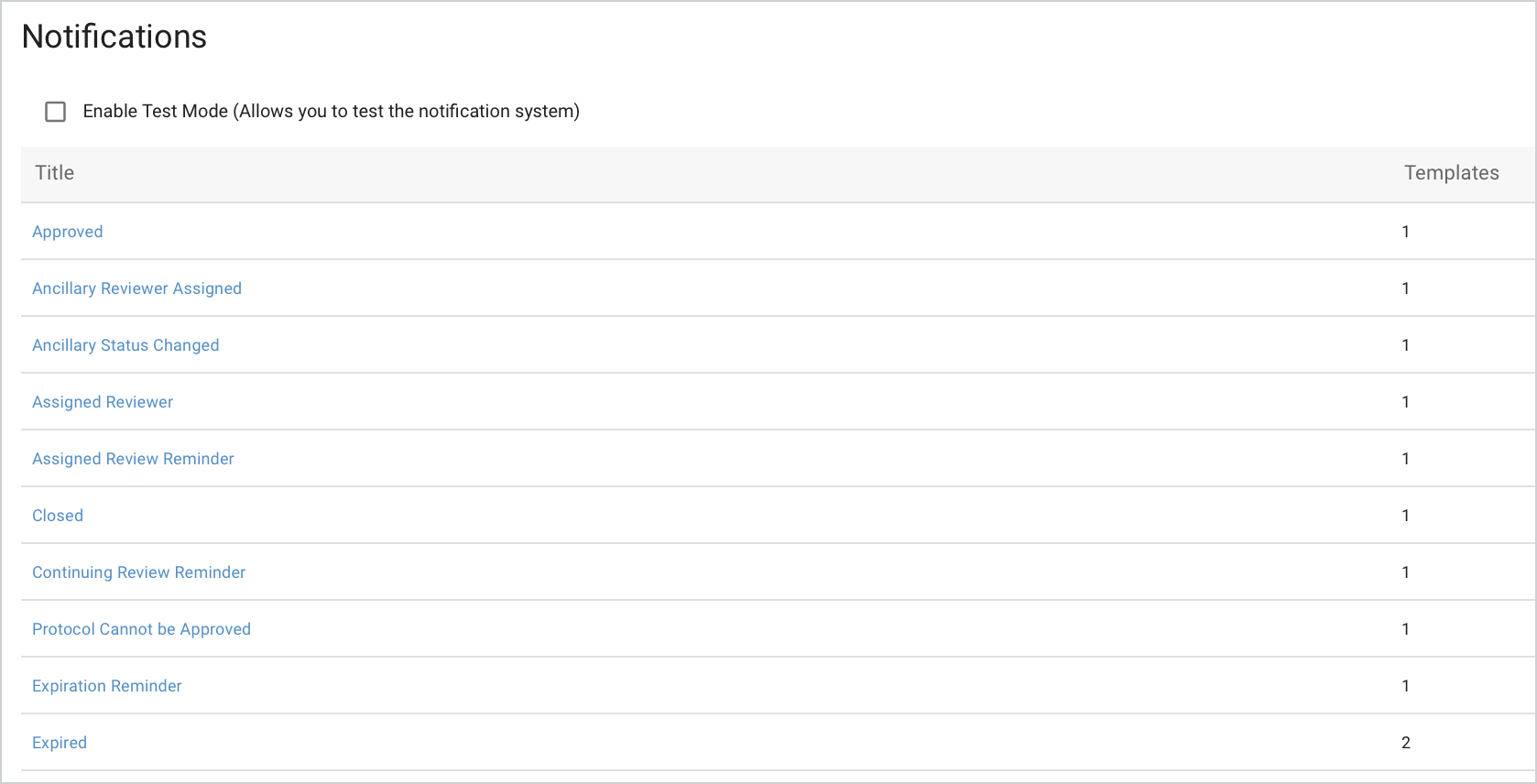
Upon clicking any of the Notification links it will take you into the templates currently configured for that notification type. You can edit existing templates by clicking the expand arrow or add new templates via the + New Notification Template button.
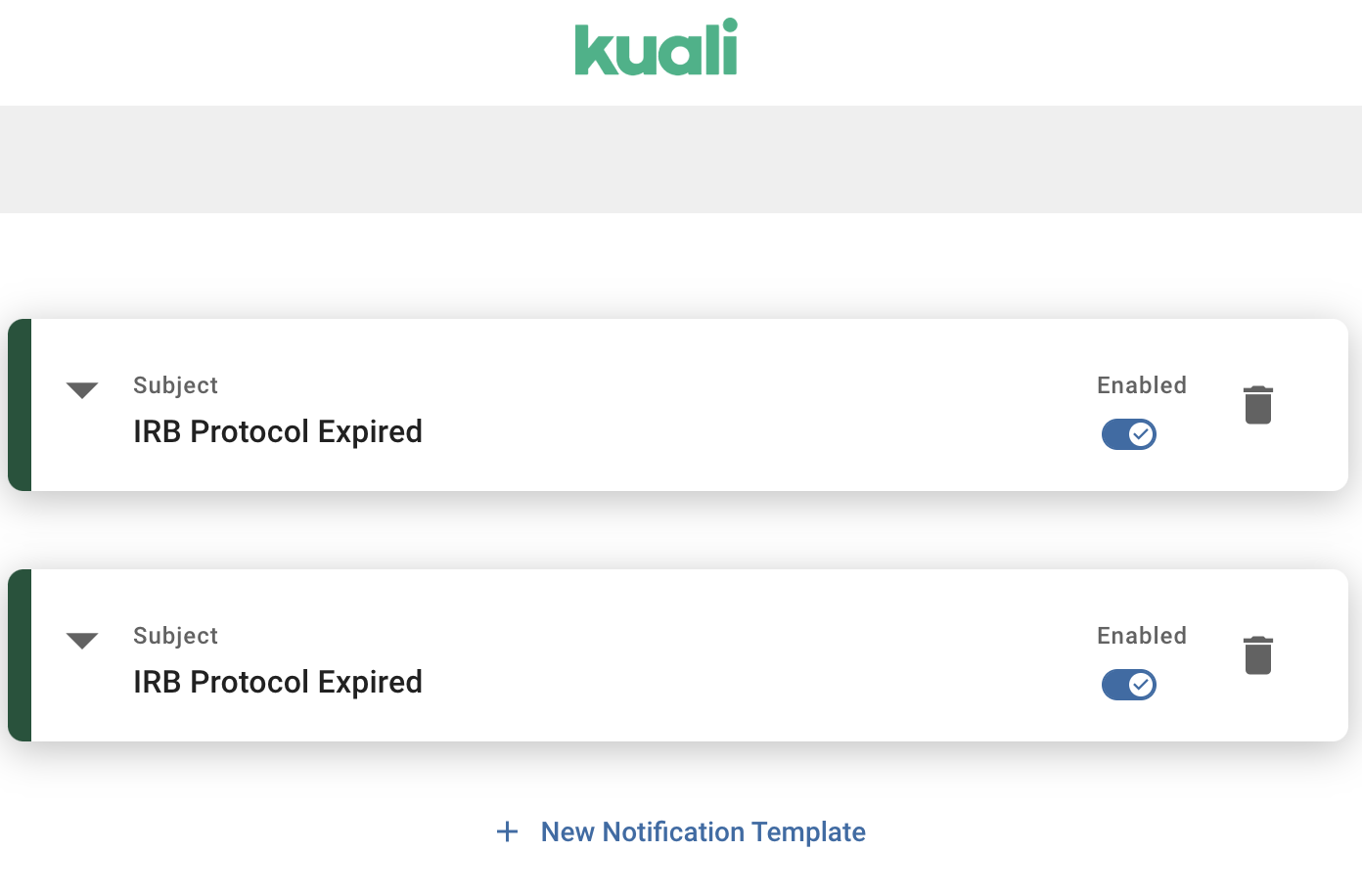 The notification templates will display as a collapsed view by default. Notification templates begin as a single template and system configurers can create additional templates through the ‘+ Notification Template’ button.
Once a secondary notification template is created using the ‘+ New Notification Template’ button, recipients, placeholder tokens, and the general body of the template can be edited in a similar fashion to the current notification editing process. Users will have to save their changes and toggle the ‘Enabled’ button to the on position in order for notifications to properly trigger.
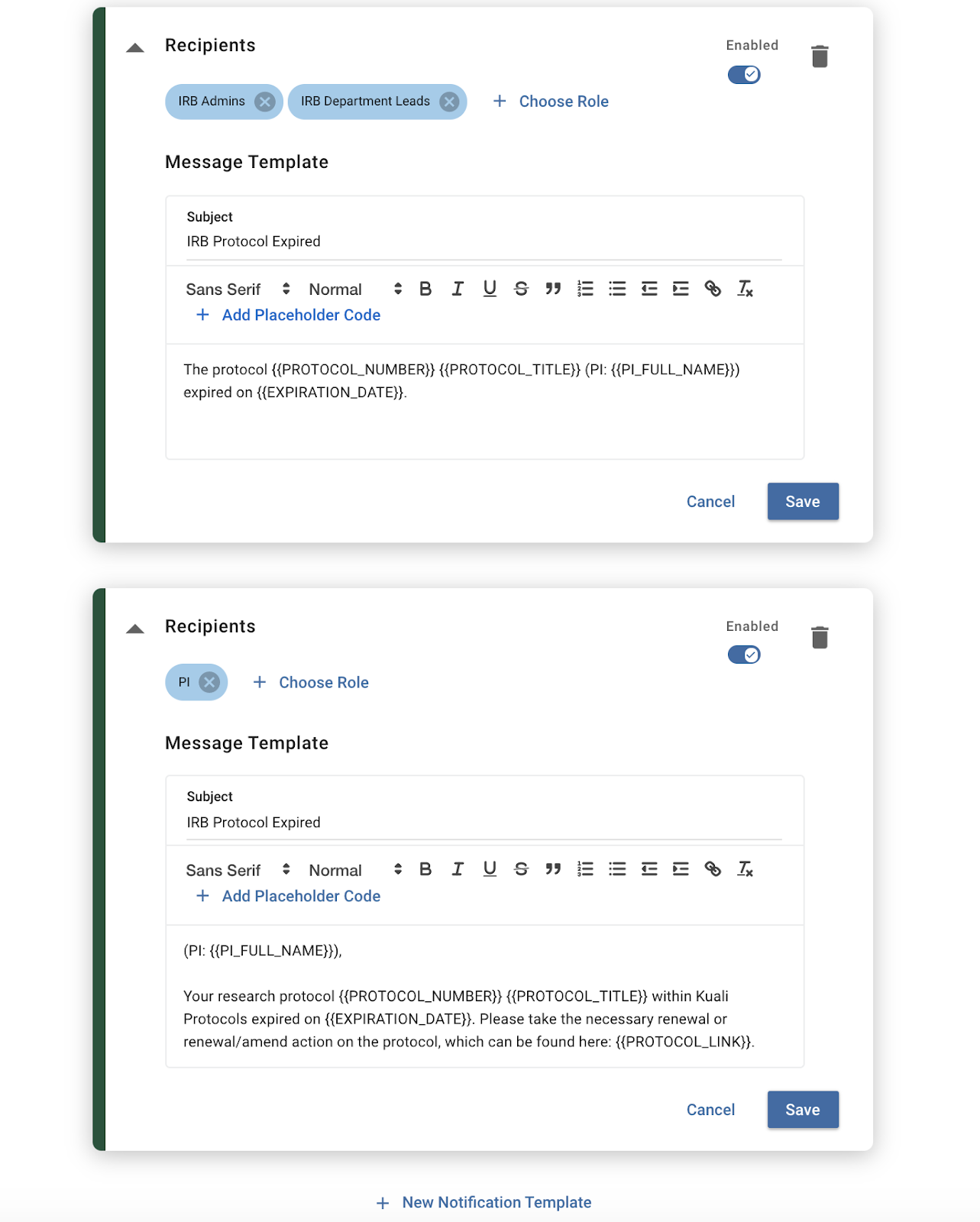
The image above shows 2 active notification templates for an expired IRB protocol with different targeted recipients, as well as text and placeholder tokens driving unique actions among those recipients.
The advantages of multiple notification templates are primarily targeted to help institutions drive different outcomes from varying groups and roles associated with the lifecycle of a protocol. Whereas the template of an ‘Expired’ protocol may prompt the investigator to log into Kuali Protocols, trigger a renewal action, and wait for administrative determinations, that same protocol might simply need admins and departmental leads to be notified that a protocol in their queue has expired and research cannot be continued. Multiple notifications should help institutions improve efficiency along the notification cycle throughout a protocol by leveraging the ability to deliver nuanced information to its users.
Comments
0 comments
Article is closed for comments.