
COI and Protocols reports are now available for hosted customers. In order to access the reports certain roles need to be added to the user. More information on the preconfigured reports and configuration required is available in the additional resources section below. When starting to configure roles and using the reports please keep the below in mind:
- Adding a user to one of the report roles in /groups will take a day to sync with the nightly report job due to unit provisioning available in compliance reports. So adding a user to one of these roles will not immediately give them access to the Reports - they will need to wait until the next day to have access.
- If you would like COI Admins to have report access we suggest adding them to the COI Report Viewer role since that's the most straight forward approach currently. Because the COI Administrator role lives in the monolith it would also need to be pushed to /groups if you desire to use this role for report access. This includes some parameter configuration and other sync actions described in the COI - Managing COI Permissions. Long term we will be moving the COI Administrator role out of monolith so management is only handled in /groups.
- Reports in PRD will point to PRD data and reports in STG will point to STG data. Currently we don't have an option for reports in SBX but hope to in the future.
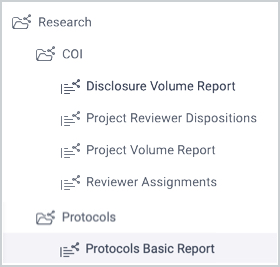
Additional Resources
Comments
0 comments
Article is closed for comments.