
Summary
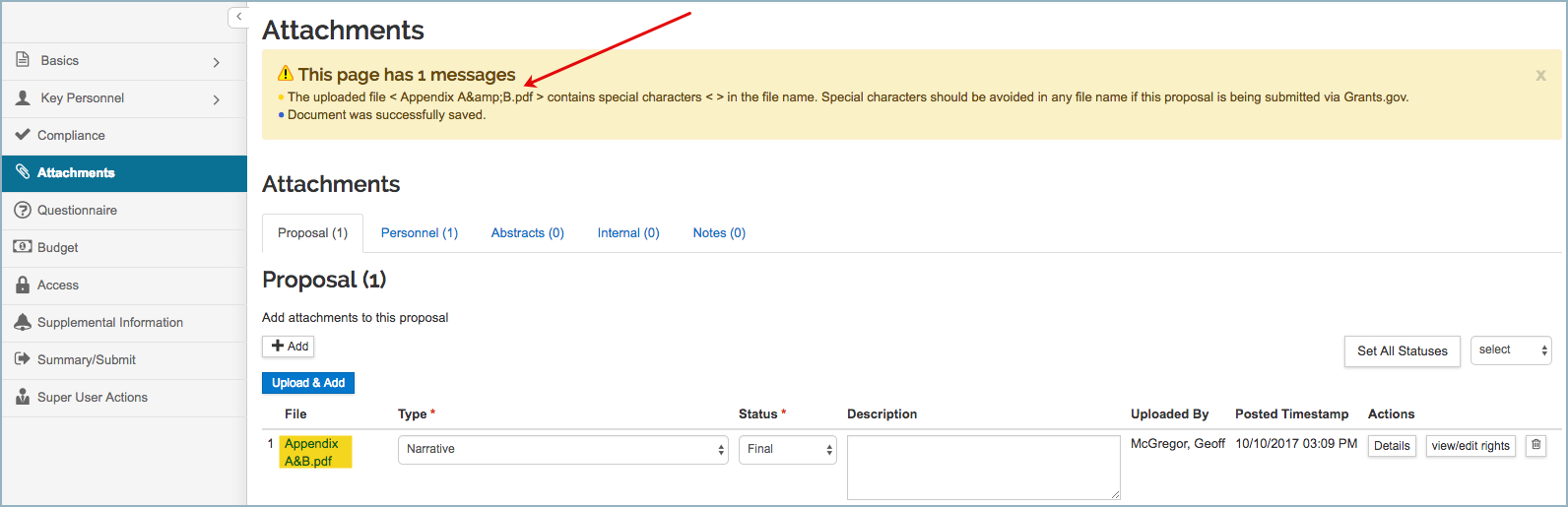
The INVALID_FILE_NAME_CHECK Parameter defines the type of message (error or warning) the users will receive if special characters / spaces are found in the filenames of the attachments being uploaded in the Proposal Development Document.
The out-of-the-box parameter value for INVALID_FILE_NAME_CHECK Parameter is 1, meaning that users will get a warning message.
Valid Parameter Value(s)
The INVALID_FILE_NAME_CHECK Parameter Value accepts a single value:
| Parameter Value | Description |
| 1 |
The system will produce a warning message when users upload attachment(s) that contain(s) special character(s) in the filename(s) (e.g. AppendixA&B.pdf) |
| 2 |
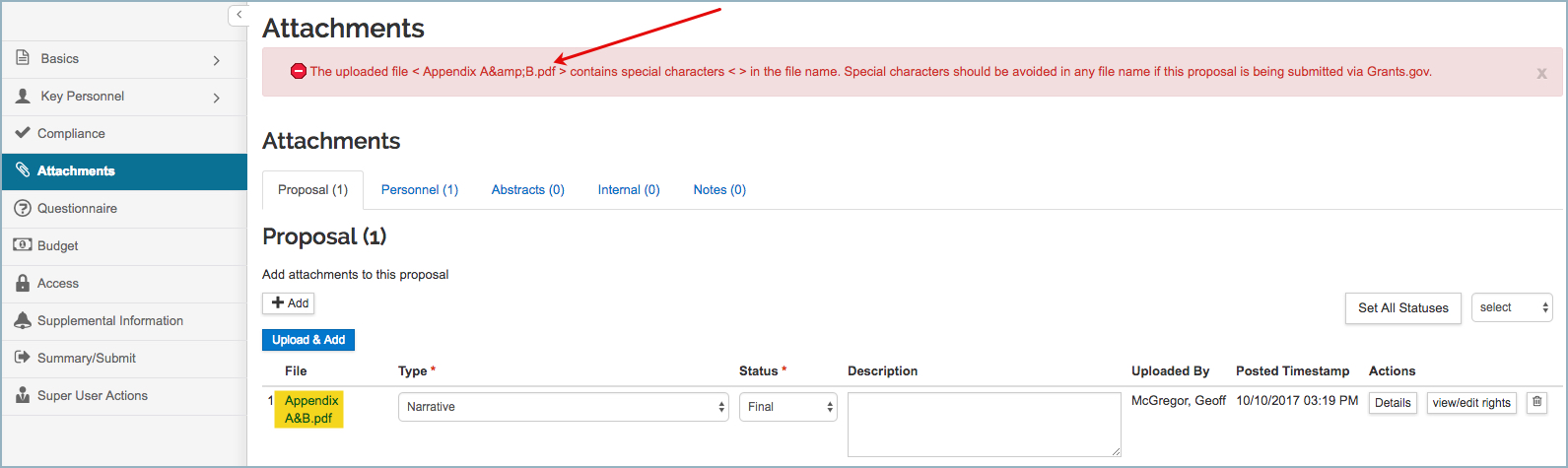
The system will produce an error message when users upload attachment(s) that contain(s) special character(s) in the filename(s) (e.g. AppendixA&B.pdf). In order to submit the proposal for review, users will need to address the error message (i.e. change the filename of the attachment to not include spaces / special characters). |
Related Maintenance Table(s)
- N/A
Related Parameter(s)
- N/A
Example
If the INVALID_FILE_NAME_CHECK Parameter is set to 1, and in a PD record a user uploads an attachment with special characters in the filename, the system will generate the following warning (warning will not prevent the proposal from submission for review or to sponsor):
If the INVALID_FILE_NAME_CHECK Parameter is set to 2, and in a PD record a user uploads an attachment with special characters in the filename, the system will generate the following error (error will prevent the proposal from submission for review):
Comments
0 comments
Article is closed for comments.