
Summary
The enableBudgetCalculatedSalary Parameter allows institutions to either display the Salary by Period tab in the Budget Personnel Costs section → Project Personnel → Person Details window; or to not display that tab and the associated fields.
The out-of- the-box parameter value for enableBudgetCalculatedSalary Parameter is “Y” meaning that Base Salary by Period tab will be displayed for each individual listed in the Project Personnel panel.
The amounts entered in the Salary by Period tab will populate the Base Salary fields for each project period on the applicable Grants.gov Budget Forms.
Valid Parameter Value(s)
The enableBudgetCalculatedSalary Parameter Value accepts a single value:
| Parameter Value | Description |
| Y |
to display the Salary by Period tab |
| N |
to NOT display the Salary by Period tab |
Related Maintenance Table(s)
- N/A
Related Parameter(s)
Example
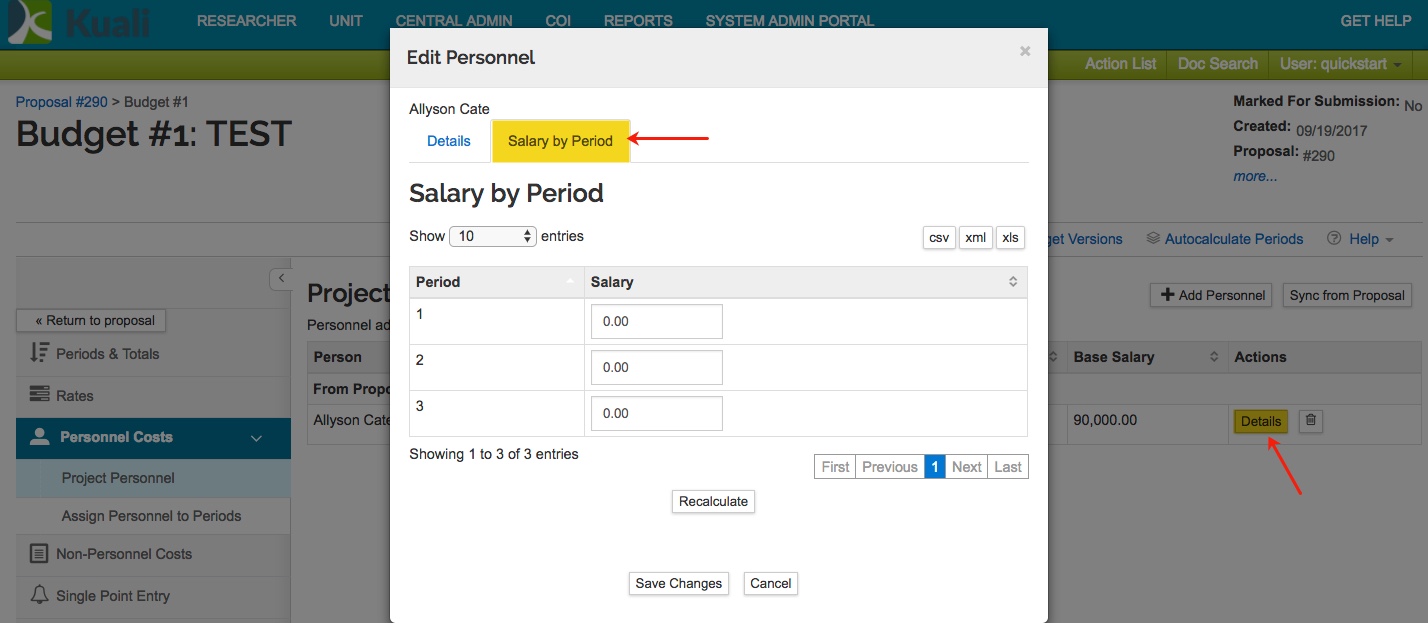
If the enableBudgetCalculatedSalary Parameter is set to Y, then in Proposal Development Budget → Project Personnel section → Person Details, the Salary by Period tab will display:
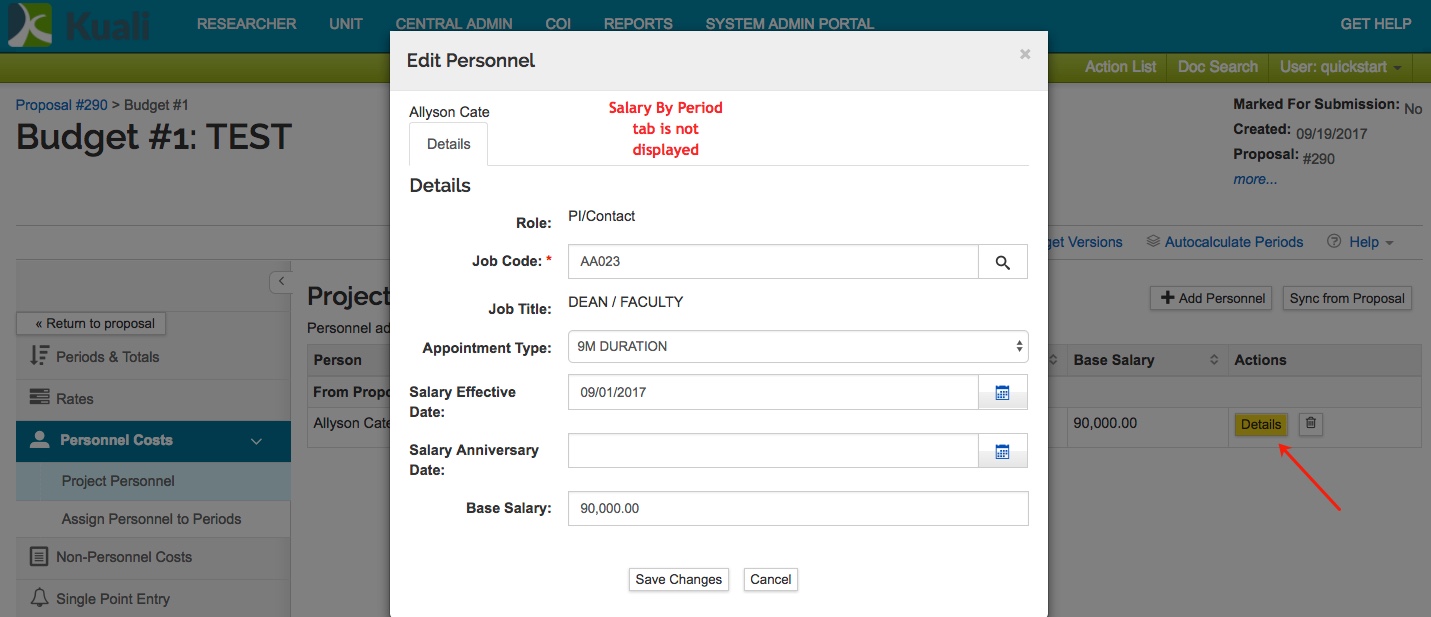
If the enableBudgetCalculatedSalary Parameter is set to N, then in Proposal Development Budget → Project Personnel section → Person Details, the Salary by Period tab will NOT display:
Comments
0 comments
Article is closed for comments.