
Overview
If an implementation of Kuali Research has multiple servers running then every user is pointed to one of the available servers for their session in the system. Since session information was previously housed in memory it would mean that if a server goes down or requires restart/upgrade all users session pointed to that server would be lost and they would get kicked out of their work. In order to give more flexibility and a better user experience when server changes occur we now send session data to the central database (rather than memory); and in order to store it has to be serializable. Adding the session data to a centralized place will allow horizontal scale on servers without session pinning. The end result will allow changes to the system at any time (upgrades, servers changes, server outages, etc.) without user sessions being affected and have no impact to user experience or require any downtime or loss of sessions. If a user is working while pointed to one server but that server goes down or is restarted it will seamlessly redirect the users session to the next available server and not lose any session data so they can continue their work.
Viewing in System Admin
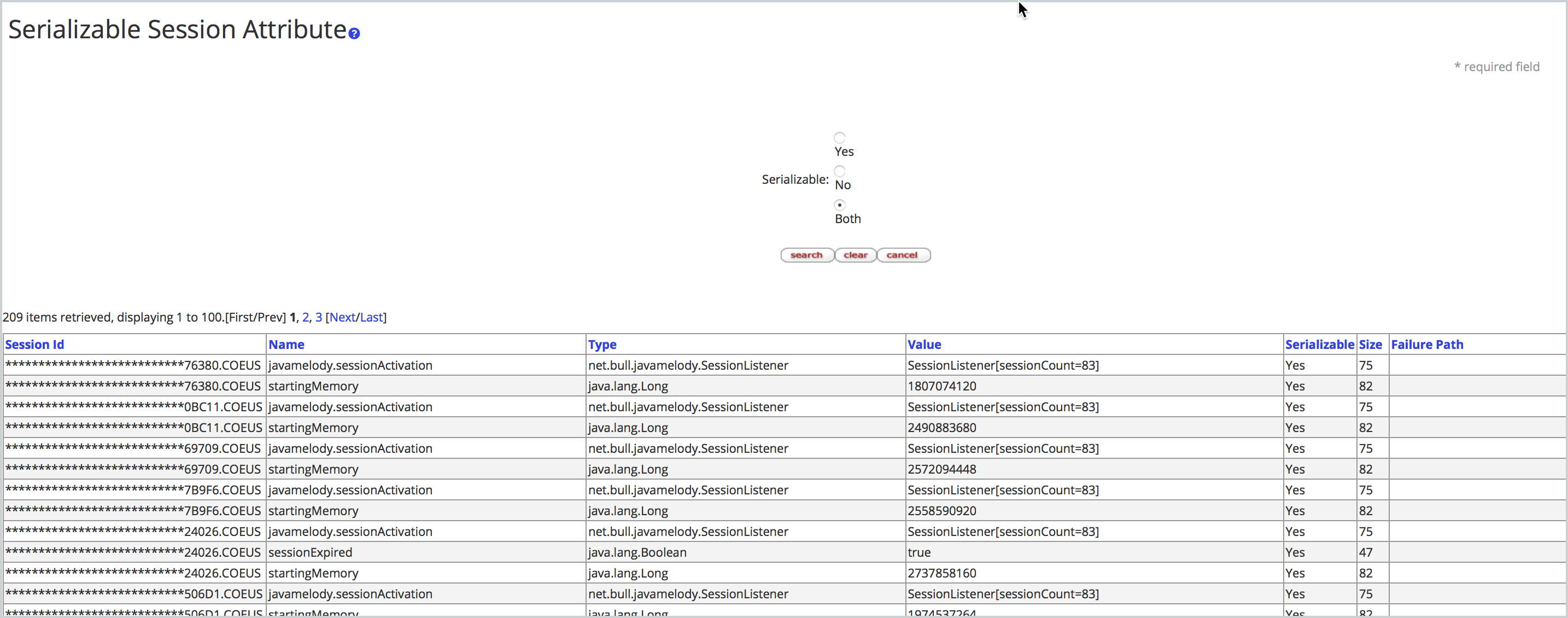
Go to All Links on the Dashboard and the below options are available for Serializable session information that allows a user (most likely a technical developer) to view session data in the frontend.
- Serializable Session Attribute
- Serializable User Session Attribute
- Serializable KRAD Form
All three collect different information on the same session but it is broken out in different attributes by area. The Serializable Session Attribute is all general attributes associated with the session, the Serializable User Session Attribute is all KNS attributes associated with the session, and the Serializable KRAD Form is all KRAD attributes associated with the session.
Upon clicking into any of these three options you can do an open searches to view all current active session information. The information presented will help a technical user better find and troubleshoot session information via the frontend. The failure path specifically will help identify where information is not being serialized correctly and a path to find in the backend where the problems is occurring to hopefully fix. Also, if serialization is not occurring properly the logs will have the flag of 'Serialization failed:' prefix.
Comments
0 comments
Article is closed for comments.