
Protocol Administrator Dashboard

As a protocol administrator, assistant or associate, you can manage and administratively process protocols that are submitted to my office so that I can make sure they are complete, assigned out, and tracked through the review process. The Dashboard allows easy access to view all protocols, their statuses, and whether action needs to be taken. The widgets available can be removed via the x in the top right-hand corner or dragged to the desired position using the icon in the top left-hand corner.
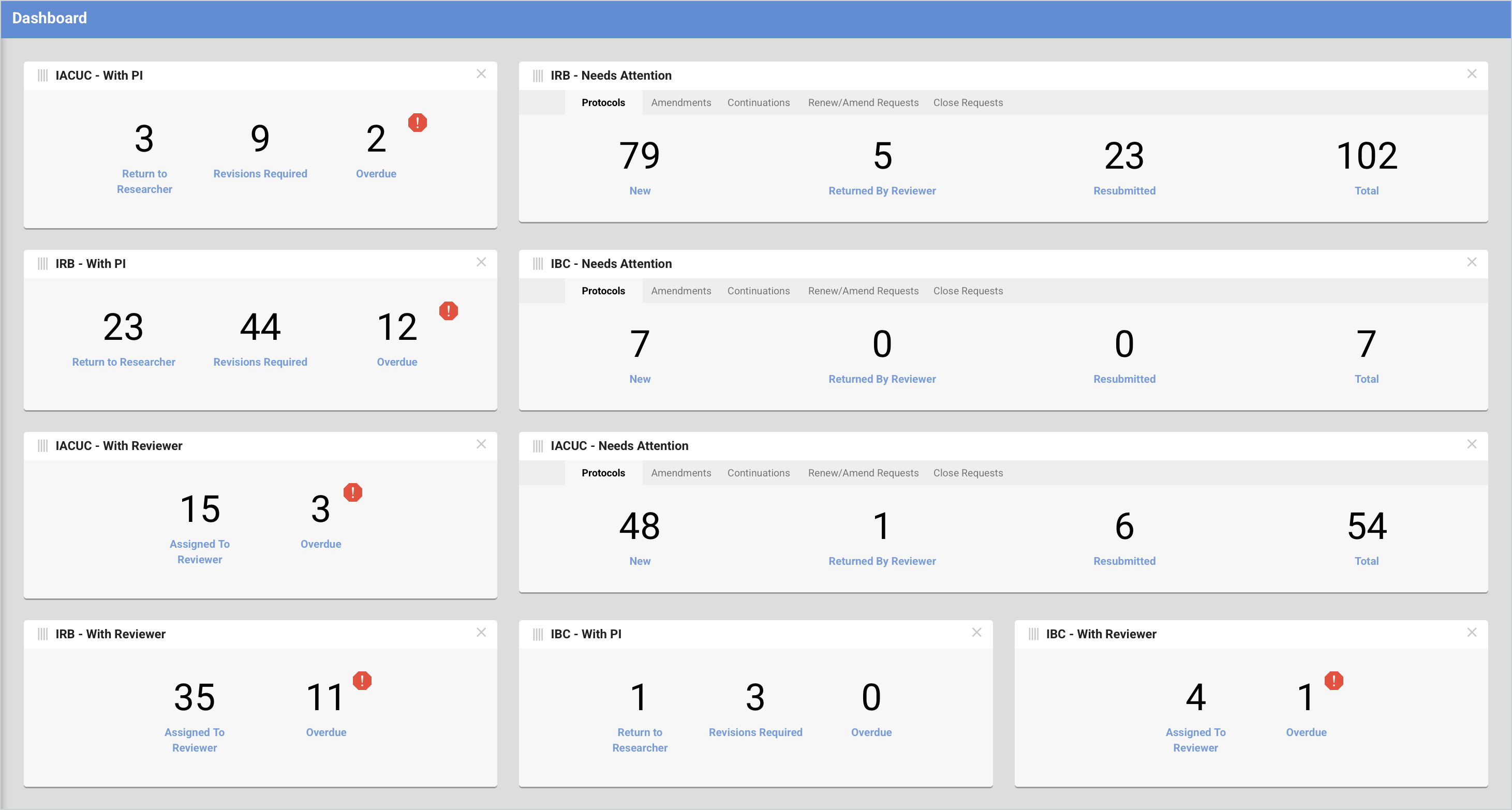
Manage Protocols

To view a more detailed list of all Institutional protocols you can use the Manage Protocols link in the menu which shows a comprehensive list of all protocols. You can easily access the protocol records to see more detail by clicking on the linked Title of the protocol. The displayed columns in this list can be customized using the Manage Columns button.
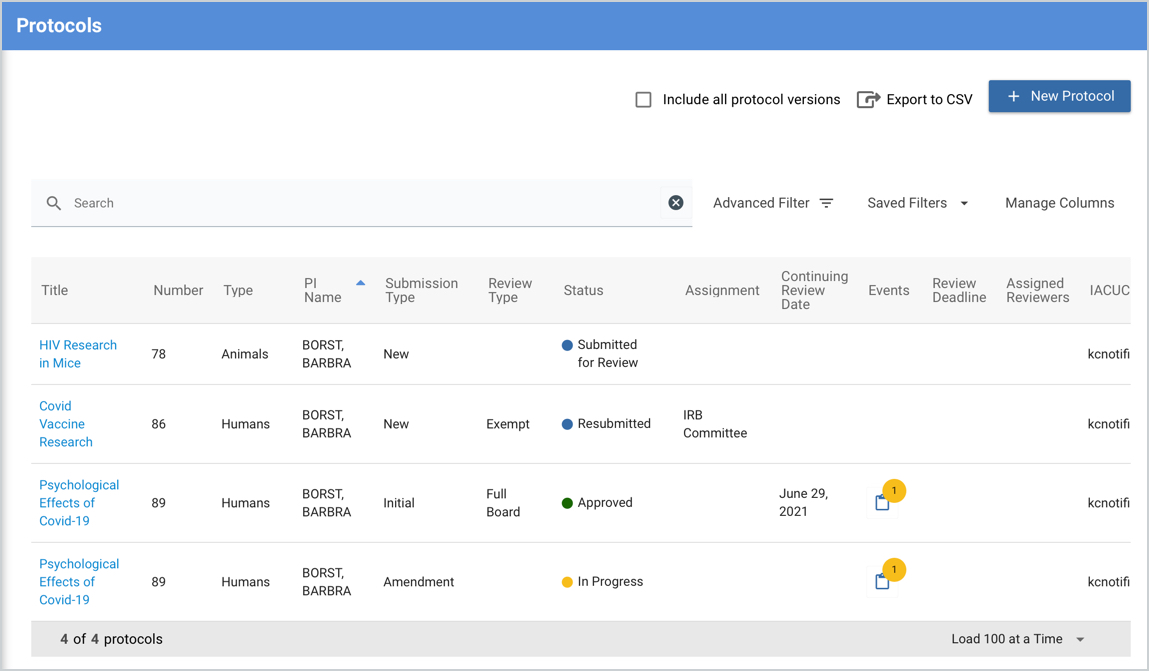
The Search and Advanced Filter functionality can be used to hone down the list to your desired results or views. These filters can also be saved for future use in the Saved Filters option. More information on this functionality can be found in the Advanced Filter and Search article.
Protocols Assigned To Me

All protocols that have been specifically assigned to you can be viewed via the Protocols Assigned to Me option in the menu so you can better track what's outstanding and awaiting your action. The Filter functionality can also be used here to hone down the list to your desired results or views.
Comments
0 comments
Article is closed for comments.