
Data Dictionary In Use Feature
The Data Dictionary In Use feature allows users to search and view all existing XML data dictionary files currently used in the Kuali system. These XML files will allow technically savvy users the ability to see how certain fields are programmed to display and other aspects of screen display/logic in the system. This new feature can also be used in conjunction with the Data Dictionary Override Functionality which is also available on the System Admin tab. With Data Dictionary In Use you can download the current XML and make the desired edits before uploading via the Data Dictionary Override option. Caution: this tool is powerful and should only be used by someone with the appropriate technical expertise. Please see the Data Dictionary Override Functionality article for more information on that feature.
Lastly, these XML files are also helpful when building Properties in KRMS (Kuali Rules Management System) since it gives the appropriate propertyName for the given fields in the system.
Using the Data Dictionary In Use:
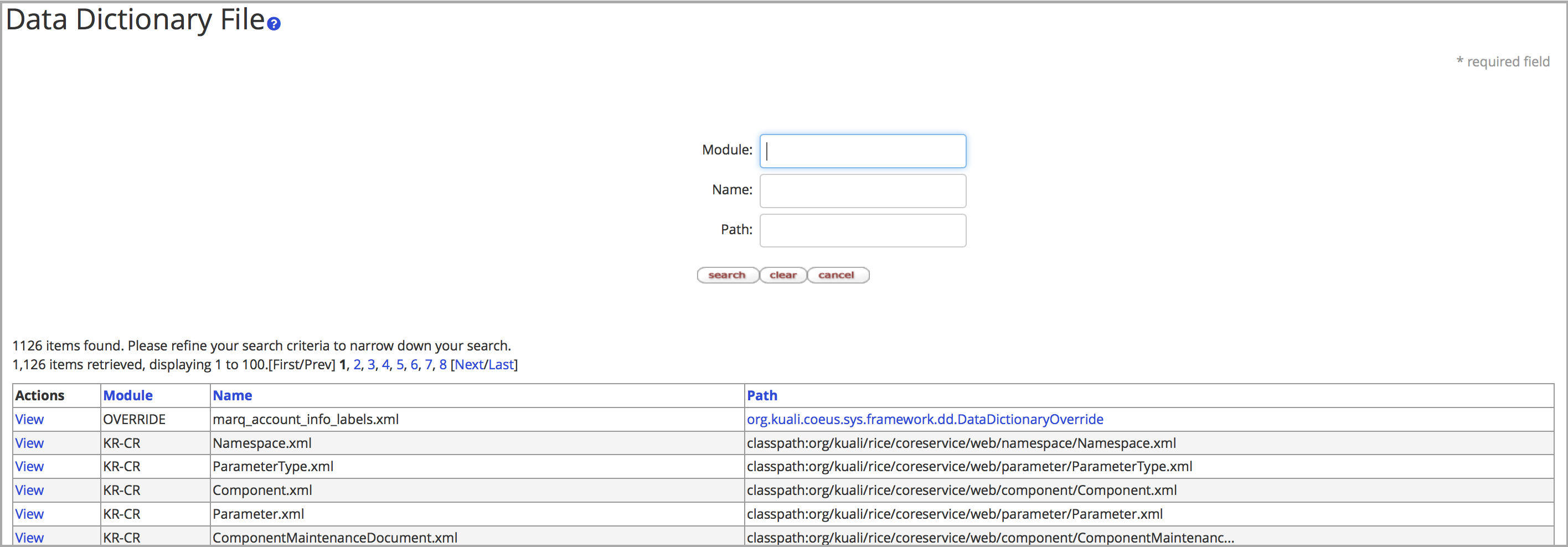
- Select System Admin > System Admin > Miscellaneous: Data Dictionary In Use.
- Perform an open search to view all current Data Dictionary XML files (or narrow down the search by Module, Name, Path) - note that files uploaded via the Data Dictionary Override will show OVERRIDE as the module.
- Click the 'View' button to open the XML which can then be viewed and or edited by a user.
Comments
0 comments
Article is closed for comments.